Hi Voxengo folks! I just wanted to say thanks for the free stuff. I've been using your EssEQ, TubeAmp, TempoDelay (LOVE this one), and StereoTouch for a while now. I'm a VST 'hobbyist' who plays with this stuff for fun when I get a bit of spare time, but I'll never make any money from my 'tracks', I just enjoy playing for fun. Because of the free tools from people like you, I've been able to learn about things I always thought would be out of my reach - like mastering, synth programming, etc. I love all of this knowledge, and the ability to use my computer for stuff like this, and again, it's thanks to the amazing talent and generosity of people like you! I wouldn't be able to get involved in this world and learn this stuff if I had to pay for the commercial products, because I can't afford them and it's not a priority to me. Anyway, this is becoming a long message! I just wanted to say a big 'thanks', you have honestly played a part in changing my world.
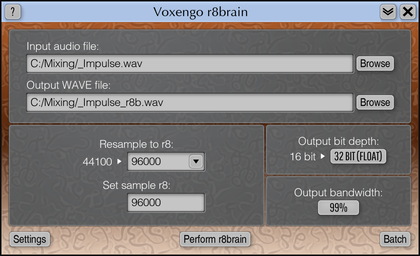
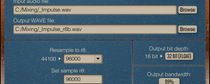
This utility program was designed to allow both amateur and professional users to perform high quality sample rate conversion of WAV files. For example, if your WAV file was recorded or saved as 48000 (or 96000) file and you need it to burn onto a CD you will likely need to convert it to 44100 before that. This utility will help you to perform such conversion. r8brain also supports batch processing which is essential if you need to transfer all your project's audio data from one sample rate to another. Programmers can use standalone converter DLL in their programs free of charge.
Features
Freeware
Reads PCM WAV files of bit depths 8, 16, 24, 32 and 64
32 and 64 bit files can be in IEEE floating sample format
Mono and stereo file support
Virtually any input and output sample rate
Batch processing
Writes 8, 16 and 24 bit PCM WAV files and 32 bit IEEE WAV files
Reusable royalty-free converter DLL with explained API
Requirements
Windows XP or any later 32-bit Windows OS
About 570 kB of harddisk space
For best performance a fast processor is required
What's New
Version 1.9, 26-aug-2005
Various issue fixes.
Version 1.8, 11-dec-2004
Issue related to processing files via network fixed.
Version 1.7, 18-jun-2004
Batch mode checkbox display bug fixed.
Console sample rate converter added.
Version 1.6, 26-may-2003
Resampling filtering curves were improved.
API now has two new functions.
Now "resample to" sample rate can represent any fractional number (e.g. 22050.5 or 44100.32).
Now a different output sample rate which will be written to the WAV file header can be specified.
Directory batches can be processed recursively.
Version 1.5, 20-oct-2002
Maintenance release.
Version 1.4, 13-oct-2002
Changed batch processing file renaming scheme. Now converted file will have original file's name and original file will be renamed (or deleted).
Version 1.3, 6-oct-2002
Slightly boosted converter speed (by nearly 6%).
Version 1.2, 14-sep-2002
Fixed bug in implementation of dithering. Now dithering also incorporates a slight noise-shaping.
Once again low-pass filering was untightened a bit. Now huge downsamples (like 96000 to 44100) sound much softer.
API has changed: Preallocate parameter was Boolean now LongInt, CancelFlag was Boolean now LongInt. A new API procedure added.
Batch processing implemented.
Added 64-bit floating output format.
Version 1.1, 10-sep-2002
Huge internal resampling procedures rewrite. Now r8brain can be considered fast sample rate converter.
r8brain now supports only stereo and mono WAV files.
Memory requirements were lowered a bit.
Low-pass filtering was untightened a bit in order to increase perceived quality.
Changed default quality to 'Medium'.
Output sample rate edit box was changed to drop down list for easier sample rate selection.
Implemented better support for 'nonstandard' bit depths like 20, 14, etc.