Voxengo Water Chorus





Primary User Guide (PDF): English, Français, Deutsch, Русский язык
Applications
- Classic stereo chorus effect
- Flange chorus effect
- Stereo-widening effect
- Special sound effect
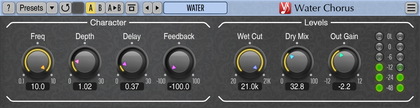
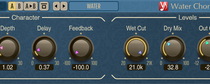
Water Chorus is a stereo chorus effect AudioUnit, AAX, and VST plugin for professional music production applications. Water Chorus is able to produce stereo-widening and weird “watery” modulation effects, possibly with a flanger vibe.
Transform Stereo Landscapes with Fluid Motion & Hypnotic Modulation: Unleash the power of Water Chorus – a professional-grade stereo chorus plugin engineered to breathe life, width, and mesmerizing movement into your tracks. Whether sculpting ethereal textures, thickening instruments, or crafting otherworldly sonic environments, Water Chorus transcends traditional modulation. Its signature “watery” character flows seamlessly between lush stereo widening, hypnotic chorus waves, and edgy flanger-inspired resonance – all with studio-perfect clarity.
Deep, Fluid Modulation: 4 operators per channel generate impossibly smooth, dense stereo choruses that wrap around your sound.
Sculpt Your Sound Character: Dial in everything from classic warmth to experimental swirls with intuitive controls for modulation speed, depth, delay, and feedback.