|
This topic was last updated 180 days ago, and thus it can be considered old. Replying is disabled for this topic.
|
SF_DarkStar
on Apr 22, 2011, 11:13am:
I've just tried the new v3.4 (in Demo mode).
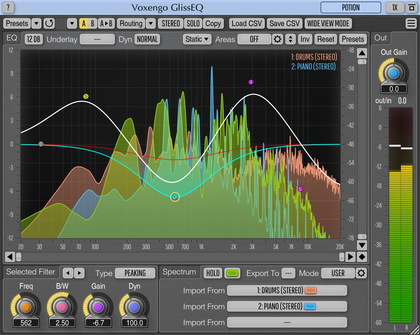
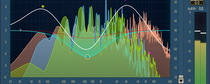
On opening the GUI, the window expands to take up the complete screen and the memory used grows by several hundred MB. Nearly all of the screen was showing (part of?) the spectrum display area. I had to terminate the host process.
Same happens in Reaper 3 and energyXT.
I reinstalled v3.2 and it is fine (again in Demo mode).
Windows XP Home, SP2
On opening the GUI, the window expands to take up the complete screen and the memory used grows by several hundred MB. Nearly all of the screen was showing (part of?) the spectrum display area. I had to terminate the host process.
Same happens in Reaper 3 and energyXT.
I reinstalled v3.2 and it is fine (again in Demo mode).
Windows XP Home, SP2
-----------------------------
... Interesting, if true.
Aleksey Vaneev
on Apr 22, 2011, 1:39pm:
Please tell me the steps you are doing in Reaper, are you trying to resize the window or manipulating it in some way?
I cannot seem to reproduce such behavior. GlissEQ works here just fine in both Reaper and eXT2, in Demo mode, too. I'm using Windows XP Pro SP3.
sunny_j
on Apr 22, 2011, 1:51pm:
oh man !!! problems in each release !!! when i scale it down to 80 percent and reload, the interface becomes fanatic and just keeps on increasing and increasing till i shut it down.....
again windows 7 home premium, vst analyzer and foobar+chainer.. totally unusable...
Aleksey Vaneev
on Apr 22, 2011, 1:53pm:
So, this happens when UI size is at 80% only?
Aleksey Vaneev
on Apr 22, 2011, 1:54pm, edited 2 time(s), last modified on Apr 22, 2011, 1:57pm:
OK, reproduced the problem - thanks for the suggestion. This problem does not happen in all hosts, and does not happen at 100% and 125% window sizes.
We can't test all possible usage combinations, that's why in many cases issues leak into releases.
sunny_j
on Apr 22, 2011, 2:01pm:
glad u tracked it down ! :)
SF_DarkStar
on Apr 22, 2011, 2:17pm, edited 1 time(s), last modified on Apr 22, 2011, 2:18pm:
Aleksey Vaneev: Please tell me the steps you are doing in Reaper, are you trying to resize the window or manipulating it in some way?
Aleksey Vaneev: I cannot seem to reproduce such behavior. GlissEQ works here just fine in both Reaper and eXT2, in Demo mode, too. I'm using Windows XP Pro SP3.
Hello Aleksey, Neither, it happens as soon as I open the GUI (or when the host opens it on loading).
Steps:
-- select a track,
-- find GLissEQ in the FX Browser
-- double-click it.
==> problem
--------------
Ah ha, I've just read the other posts - my setting (from v3.2) was at 80% too).
-----------------------------
... Interesting, if true.
SF_DarkStar
on Apr 22, 2011, 2:22pm:
To confirm the diagnosis:
-- I loaded the v3.2 Demo, changed the setting to 100% then removed it,
-- I then loaded the v3.4 Demo and it loads OK.
:)
-- I loaded the v3.2 Demo, changed the setting to 100% then removed it,
-- I then loaded the v3.4 Demo and it loads OK.
:)
-----------------------------
... Interesting, if true.
Aleksey Vaneev
on Apr 22, 2011, 2:42pm:
OK, thanks, we'll fix this problem soon - will release v3.4.1
Aleksey Vaneev
on Apr 22, 2011, 10:57pm:
I've released quick-fix v3.4.1
|
This topic was last updated 180 days ago, and thus it can be considered old. Replying is disabled for this topic.
|
Copyright © 2002-2012 Aleksey Vaneev - Terms of Use - Privacy Policy - About Voxengo - Questions & Answers