|
This topic was created before release of the latest product version, and it may contain details irrelevant to this version. Replying is disabled for this topic.
|
Yannick
on Jun 29, 2004, 2:29am:
Hello,
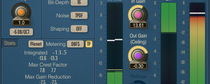
what is the function of the clip indicator ?
I was using the elephant2 in clip mode and could overload it very shortly,without clip indicator giving any counts, but with audible short clipping (about 5 to 6 samples).
Also clipping was almost identical to just overloading my DAW.
Yannick
what is the function of the clip indicator ?
I was using the elephant2 in clip mode and could overload it very shortly,without clip indicator giving any counts, but with audible short clipping (about 5 to 6 samples).
Also clipping was almost identical to just overloading my DAW.
Yannick
Aleksey Vaneev
on Jun 29, 2004, 3:11am:
Clip indicator is useful with EL-1, AIGC-1 and AIGC-2 modes. For other modes it is not useful.
The 'Clip' mode is best used with oversampling enabled - this way it will sound much better than a simple overloading.
Yannick
on Jun 29, 2004, 9:24pm:
Thanks.
I did run 4x oversampled - on a clarinet my DAW clipping sounds just slightly worse than the Elephant2.
I must add the Soundscape DAW has had quite benign (and sometimes useful) digital clipping since '93 ...
So we turned to EL-2 mode which caught the 1-2 dB limits quite well.
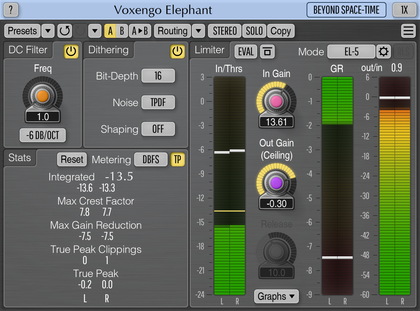
The noiseshaping seems quite moderate - is it very effective ? Is there a way to tell which apparant bit depth you get (keep) noiseshaping to 16 bit ?
Yannick
I did run 4x oversampled - on a clarinet my DAW clipping sounds just slightly worse than the Elephant2.
I must add the Soundscape DAW has had quite benign (and sometimes useful) digital clipping since '93 ...
So we turned to EL-2 mode which caught the 1-2 dB limits quite well.
The noiseshaping seems quite moderate - is it very effective ? Is there a way to tell which apparant bit depth you get (keep) noiseshaping to 16 bit ?
Yannick
Aleksey Vaneev
on Jun 30, 2004, 12:50am:
But that's clipping, of course it can be improved only a little.
Yes, noise-shaping is moderate so that it does not add too much oscillation in the higher frequencies. I believe this noise-shaping is pretty good, sonically. I have not used any equal-loudness curves since I do not really think they help much.
I think knowing the noise-floor you get is not of much use since the most important thing is how noise-shaping contributes to the final sound clarity.
Yes, noise-shaping is moderate so that it does not add too much oscillation in the higher frequencies. I believe this noise-shaping is pretty good, sonically. I have not used any equal-loudness curves since I do not really think they help much.
I think knowing the noise-floor you get is not of much use since the most important thing is how noise-shaping contributes to the final sound clarity.
Yannick
on Jun 30, 2004, 5:22am:
I know the noisefloor - it shows up on my metering soft ...
I just wondered what the 'relative' bit depth/resolution is when noise shaping to 16 bit. I've read that we can get around 19 bit out of a 16 bit medium this way.
Yannick
I just wondered what the 'relative' bit depth/resolution is when noise shaping to 16 bit. I've read that we can get around 19 bit out of a 16 bit medium this way.
Yannick
Aleksey Vaneev
on Jul 1, 2004, 12:47am:
Noise-shaping gives a non-uniform noise-floor boost. In the case of Elephant it is stronger in the lower frequency end. Up to 14kHz it gives around 1 bit more resolution, while below 1000 Hz resolution grows exponentially. It is infinite at DC. You may observe this yourself with a spectrum analyzer, by dithering a sinewave signal.
|
This topic was created before release of the latest product version, and it may contain details irrelevant to this version. Replying is disabled for this topic.
|
Copyright © 2002-2012 Aleksey Vaneev - Terms of Use - Privacy Policy - About Voxengo - Questions & Answers