

Voxengo Logo
On-line links: Products - Downloads - Purchase - Contacts - Forums
Voxengo Elephant VST HELP

Voxengo Elephant VST Screenshot


Contents

Introduction
Preset management
Mode buttons
Knob control
General plug-in controls
VU meters and counters
Global settings
Troubleshooting tips and additional information


Introduction

Voxengo Elephant is a mastering limiter plug-in in PC VST format. The most remarkable feature of this brickwall limiter is its ultimate transparency. Unlike many existing limiters, it does not adjust the dynamic structure of the processed audio material, but instead brings sound limiting and loudness maximization without any audible "pumping" effects.

With the release of version 2.0, Elephant became a highly competitive mastering product. It features a comprehensive set of level metering tools and a variety of limiter algorithms. Elephant's built-in linear-phase oversampling is a new standard in peak limiting and loudness maximization. Elephant, also featuring a high-quality bit-depth converter with an optional noise-shaping, allows you to finish your music and audio productions with a spark.

Voxengo Elephant features:

  • Transparent limiting action
  • 8 limiter modes
  • 7 speeds for various styles of music
  • Gain reduction VU meters
  • Noise-shaped bit-depth converter
  • RMS and peak RMS output counters
  • Automatic attack and release
  • DC removal filter
  • Up to 4x oversampling
  • "A-to-B" comparisons
  • Factory presets
  • Mono-to-Stereo, Stereo-to-Stereo processing
  • Sample rates up to 96 kHz
  • 64-bit internal precision


  • Preset management

    Top buttons

    You can use the "Preset..." menu button to perform basic FXP/FXB preset/bank management tasks. The "Set as default" menu option of the "Presets..." menu allows you to assign the currently loaded program to the default preset program. This default program will be loaded whenever you enable a new instance of the plug-in or reset the current program. You can use the "Reset default" option to restore the default factory preset.

    By pressing the "A|B" button, you can exchange the current and shadow (or, alternatively, "A" and "B") programs. The "Copy" button copies the current program to a shadow one.

    Since only a single shadow program is used for the whole program bank, you can use "A|B" button to copy programs. To do so, you first need to switch to a program you want to copy and press the "Copy" button. Next, switch to a program where you want to put the first program and press the "A|B" button.

    The "Reset" button can be used to reset the current program. All parameters will return to their default states.


    Mode buttons

    Mode buttons

    Lim Mode switch selects limiting mode Elephant utilizes. Elephant offers you four distinct limiting modes.

    EL-1 is the mode available in Elephant limiter from the very start. To get best results with it you should fine-tune Shape and RShape controls. The main advantage of EL-1 mode is that it does not create pumping sound. However, in order to get good results you should use a mastering compressor and pre equalize the program material to minimize the audible distortion when using this limiting mode.

    Elephant implements several AIGC (Automatic In Gain Control) modes. AIGC-1 automatically adjusts the specified In Gain value delivering a much more clean limiting than you can get with the EL-1 mode. Even though AIGC can give a cleaner sound, at high In Gain settings it can create a slight pumping effect.

    The second AIGC mode (AIGC-2) offers an even cleaner sound than you can get with the first AIGC mode. But likewise it can also give a heavier pumping effect.

    In most cases, the pumping AIGC mode creates is not perceived like a classic unpleasant volume pumping. AIGC's pumping is generally more ear-friendly, since it mostly follows the program material's flow.

    Elephant also features a so called "Clip" mode. This mode works as a "clean" hard saturation limiter. I.e., it sounds cleaner than the ordinary clipping you can get overdriving the signal in a sound editor. The "Clip" mode is not a suggested type of limiting since it can create much distortion and many harmonics. At the same time, this mode allows you to preserve the frequency balance for the most part, and also tends not to smooth out the attacks. This mode can be especially useful for heavy music. Also note, that with the "Clip" mode the "Shape", the "RShape" and the "Speed" controls have no meaning.

    "EL-2" mode introduced in Elephant v2.0 offers another kind of limiting. EL-2 mode is remarkable because it features a much easier operation - you do not have to adjust Shape and RShape controls when using this mode. Another useful feature of this mode is a true brickwall limiting performance meaning you can get sounds which do not exceed 0 dBFS instantly.

    AIGC-3 and -4 modes implemented in v2.1 have the same brickwall limiting performance as the EL-2 mode, but at the same time they have the properties of the original AIGC-1 and -2 modes.

    A new EL-3 mode implemented in v2.3 is an extension of the EL-2 mode and replicates its sound for the most part. At the same time it allows you to adjust Shape and RShape parameters.

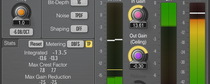
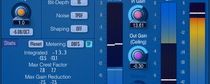
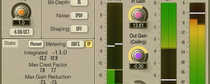
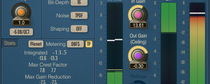
    Please consider the following pictures of EL-3 mode's attack transfer function, at Shape equal -1, 0 and 1, respectively:

    St.Linking switch enables stereo linking of the channels. In fully unlinked mode Elephant limits both stereo channels independently of each other. This mode can give a pretty high signal gain in comparison to the linked mode. However, unlinked mode can also damage the stereo-field. For example, if you have a floor tom panned to the left with some signal in the right channel, limiting can bring the right channel up, destroying the original panning of floor tom. Fully linked mode limits both channels simultaneously, preserving the stereo-field information.

    Lim Speed controls the inertia of the limiter. The significance of this control is pretty straight-forward. If the speed is set to `fast', the limiter will have both a faster attack and release. This mode is useful for highly dynamic material like rock or dance music, since it does not soften out attacks. Slower values are better for orchestral-like music or music with acoustic instruments. Fast modes add more distortion than slow modes, and thus, fast modes can be especially useful if the music material has overdriven guitars that naturally sound distorted. If you are processing piano or acoustic instruments, then you might want to choose slow modes because they introduce less distortion. Slow modes can also soften out attacks of percussive instruments and the like.

    Oversample specifies the amount of oversampling plug-in performs. Oversampling itself tends to provide better results during limiting. Another useful feature of oversampled limiting is that peak detection of the limiting algorithm becomes more precise thus minimizing the magnitude of overshoots which may later appear during audio playback, on the digital-to-analog conversion stage. The "Auto" mode disables oversampling in the normal real-time plug-in operation and turns oversampling on during the offline audio bouncing. Please note that the "Auto" mode may not work properly in all hosts (if the host does not report back when it enters the offline processing mode). During the offline operation the "Auto" mode enables 4x oversampling for 44.1k and 48kHz sample rates (2x for 88.2k and 96kHz).

    Dithering switch enables the built-in bit-depth converter. You may also enable noise-shaping.

    DC Filter control specifies the corner frequency (in Hertz) of the built-in high-pass filter, which is useful for removing low-frequency content and DC content, which is generally left unheard while it decreases the overall dynamic range and decreases the ability to maximize overall volume. Please note that this high-pass filter also adds phase shift coloration, which can be unsuitable in some situations. The DC filter (6th order) gives 36 dB/oct attenuation towards DC. You may use the DC Fl Type selector to choose the filter type. Btworth stands for Butterworth prototype filter.

    WARNING: Changing the Mode, Speed, Stereo Linking and Oversample settings during active playback may issue a pop-like sound. It is suggested that playback be suspended for a moment before changing these settings.


    Knob control

    Knob control

    To change a knob control's value, drag it with the left mouse button and move it up or down. For finer adjustment, press the right mouse button while dragging. Double-clicking on the knob with the left mouse button will return the knob to its default position.

    In Gain and Out Gain controls can be synchronized with the SHIFT and the ALT keys.


    General plug-in controls

    In knob is used to control the incoming volume. Internally, Elephant limits audio signal at 0 dB. So, if the audio signal's volume is mostly below 0 dB threshold, then you should increase the In Gain.

    Out knob can be adjusted to change the output volume after the incoming audio signal passes the limiting stage. This is not a ceiling-like control, it is strictly a "post" type control.

    Shape (not available in Clip, EL-2, AIGC-3 and AIGC-4 limiting modes) is at first glance a very subtle control. In fact, its contribution to the quality control is pretty considerable. Shape controls the shape of attack and release curves of the limiter. If the Shape value is small, the shape of the attack and release curves will be steep. With the Shape control, you can adjust the audible balance between the low and high frequencies. Smaller Shape values tend to leave the lows untouched, while larger Shape values make highs noticeably louder. The normal Shape value range is 0.001 to 0.07.

    RShape (not available in Clip, EL-2, AIGC-3 and AIGC-4 limiting modes) is a very special control which adjusts the release curve's shape. Generally, you will need to adjust RShape on the very last stage of tuning after all the other controls are already set up. For higher gain reduction, you may need to use higher RShape values. Please note that after changing any control (except "Out Gain"), the RShape control must be optimized again.

    In EL-3 mode RShape directly adjusts the release time of the limiting algorithm.


    VU meters and counters

    VU meters

    Here you can see the real-time gain-reduction meter which is separately available for both the left and the right audio channels. Meters have 10 dB resolution and hold peaks for 1 second.

    The following counters show the values accumulated during the given instance of monitoring. You may click on any counter to reset all counters at once.

    The RMS counter shows the output RMS power (unweighted).

    The PRMS counter shows the peak output RMS power (unweighted). Please note that peak RMS power is analyzed using 50 ms window.

    The Clips counter shows the number of clip incidents detected. Only more than two consecutive samples at 0 dBFS is considered to be a clip incident.

    The PRed counter shows the maximal achieved gain reduction.

    You may use the "Metering" switch to select the metering mode (the way RMS values represented). Pure - standard RMS/PeakRMS value. Pure3 - standard RMS/PeakRMS value + 3 dB (without such correction a sine wave with the 0 dBFS amplitude gives -3 dB RMS/peak RMS readout). K-20/K-14/K-12 - Katz metering system RMS/PeakRMS value.


    Global settings

    ?

    Pressing this button will display the plug-in's info screen. This screen shows copyright and registration information, and contains the "Help" button, which opens the bundled HTML help file you are reading now.

    This screen also contains the following global settings. A global setting is one that affects all plug-in instances in all audio host applications.

    The "Ballistics" selector specifies decay time of the gain reduction meters.


    Troubleshooting tips and additional information


    Why does this plug-in have latency?

    This plug-in has latency due to the look-ahead analysis algorithms it utilizes. The latency is constant 1024 samples. Please note, this plug-in is not guaranteed to work correctly latency-wise with the rates above 96 kHz.


    What type of dithering does Elephant use?

    Elephant uses gaussian dithering. Gaussian dithering is known for its smoothness. As for noise-shaping, Elephant uses algorithm which gives a very high SNR in the lowest part of the spectrum.


    Why doesn't Elephant hit the Out Gain setting most of the time?

    This is a feature of the limiting algorithm. Actually, on very high In Gain settings, it will hit the Out Gain mark. But, on average, it will be 0.1 - 0.5 dB lower, depending on the Shape and Speed settings. In EL-2, AIGC-3 and AIGC-4 limiting modes, Elephant will always reach 0.0 dB and never exceed it.


    Do you have any recommendations on the most usable Shape and Speed values?

    These settings must be selected according to the incoming sound material. The best way to select some appropriate values is to first overload the Elephant with a pretty high In Gain setting. There will be much distortion coming from the Elephant overall, but that is not what you are looking for. In this overloaded mode, you can select both Shape and Speed values and hear the difference obviously. The Shape and Speed settings that sound best for the high gain will mostly sound good for the normal gain, too. The RShape control must be tuned last, after you have set the In Gain to its final position.

    You can also use this general tuning sequence:

    1. Select desired "In Gain".
    2. Select appropriate Speed value. For example, heavy and punchy music needs a higher Speed value. Ballads and soft orchestral-like music need lower Speed values to preserve transparency.
    3. Select appropriate Shape value.
    4. Set "Out Gain" so that output generally does not go above -0.1 dB.
    5. Select appropriate RShape value. At this stage additional clarity can be achieved. Generally, you will need a larger RShape value for larger average gain reduction.

    Please note that Clip and EL-2, AIGC-3 and AIGC-4 limiting modes offer a much easier tuning workflow since you do not have to adjust Shape and RShape parameters.


    Is it just my ears, or does Elephant actually filter out low-end freqs to attain the higher levels? It seems to have "thinning out" effect.

    I would not call that a "thinning out effect", or at least it is not intentional. It's simply a normal effect of limiting where your lows are more often affected (lowered in volume due to the high amplitude) than your highs (which are, to begin with, lower in amplitude than the lows). You can tweak the "Shape" knob - this helps sometimes. In any case, you get a truthful picture, with the minimum mudness.

    If you end up loosing some lows, I suggest you to lower the gain or insert a pre-EQ with some additional gain at the lows, or some attenuation at the highs.

    With limiters, pre-EQ is the only way to get the desirable frequency balance after limiting. You can also try to use the "Clip" limiting mode which tends to preserve the lows at the expense of harmonic distortion.


    Is there a way to avoid or minimize coloration introduced by the limiter?

    Speaking from a theoretical position, such coloration happens because limiter's transfer function affects original audio's frequencies in the range from 0 to 500 Hz (the highest affected frequency also depends on the Speed setting). So, to minimize the coloration it is suggested to use an equalizer before the limiter. This equalizer may use a parametric filter tuned to frequencies around 100-500 Hz. Also note that this suggestion is useful only in the cases of extreme sound level amplification. If you use limiter only for soft peak limiting, you do not need to use a pre-EQ since introduced coloration will be minimal. Another note is that such pre-equalizing can be useful only for Clip and EL-2 modes. Other limiting modes implemented in Elephant do not tend to overcolorize the sound.


    I wanted to ask, have you ever considered a next version of Elephant that would have an absolute ceiling (like the L2 does)?

    Having an absolute ceiling control is not the most flexible way to tune a limiter. For example, with the current 'two knob' state of Elephant, holding the SHIFT key while adjusting the In knob you can have an 'inverted sync' of the In and Out knobs which allows you to evaluate the output limiter sound better. Since I do not want to lose such feature I'm not going to implement the 'ceiling'-like control. Also don't forget that Out knob works exactly like a ceiling control when you are using EL-2, AIGC-3 and AIGC-4 modes, the only difference is that it is a knob - not slider.


    Is AIGC supposed to set the optimal In gain?

    AIGC adjusts the internal in gain, and does it adaptively. It is not supposed to adjust the In Gain you specify since it strives to reach the In Gain value, but at the same time strives to give less distortion.

    Should I take it, that it means it sort of turns the gain down if you overdo it? Sort of an intelligent In gain mode?

    Yes, it is exactly an 'intelligent' In Gain mode.


    Which oversampling was used in the old HQ version?

    You should use 3x oversampling if you want to get original HQ version's sound.


    What is the function of the clip indicator?

    Clip indicator is useful with EL-1, AIGC-1 and AIGC-2 modes. For other modes it may not be useful.


    I was using the Elephant 2 in clip mode... clipping was almost identical to just overloading my DAW!

    The 'Clip' mode is best used with oversampling enabled: this way it will sound much better than a simple overloading you can get in your DAW.


    The noiseshaping seems quite moderate - is it very effective? Is there a way to tell which apparent bit depth you get (keep) noiseshaping to 16 bit?

    Yes, noise-shaping is moderate so that it does not add too much oscillation in the higher frequencies. I believe this noise-shaping is pretty good, sonically. Noise-shaping gives a non-uniform noise-floor boost. In the case of Elephant it is stronger in the lower frequency end. Up to 14kHz it gives around 1 bit more resolution, while below 1000 Hz resolution grows exponentially. It is infinite at DC. You may observe this yourself with a spectrum analyzer, by dithering a sinewave signal.


    If there is a AIGC-3 and AIGC-4, what is the point of still having EL-2? Is there certain types of music EL-2 would work better with or something? Or some sort of other advantage?

    EL-2 can be still useful. As the user's manual states, AIGC modes may give some slight pumping. EL-2 may work better for the cases where you dislike AIGC's pumping.


    How does Elephant handle intersample overs? Does EL-2, AIGC-3 & -4 brickwall limiting include intersample overs?

    'Intersample' overs can be handled only when oversampling is enabled. At 3x and 4x oversampling Elephant handles these very well.


    Could you incorporate Bob Katz's K-14 metering? When would you want to use the "+3db" metering option?

    +3 dB metering option is useful exactly when you are using Katz's metering systems. K-14 AFAIK is RMS -14 dB, peak RMS -10 dB. These figures incorporate +3 dB correction. So, after enabling the +3 dB correction you can examine your levels against Katz's metering system just by examining RMS and peak RMS figures.


    I would like to know what the average window is, Elephant uses to calculate the RMS power.

    RMS power is measured for the whole duration until you reset the meters or restart playback. So, after adjusting various controls you should reset meters to monitor the actual RMS power.


    Is it a bad idea to dither twice? I believe it does actually sound better, though I may be fooling myself.

    An added dithering noise can sound nicer at times. Probably, there can be no general advice regarding dithering and especially noise-shaping: if you like how it sounds then use dithering twice.


    How does the 'speed' control affect shape and release in EL-2 and EL-3? It seems there is an effect so it looks like things are inter-dependent somewhat.

    Speed controls the 'width' of attack slope. Most compressors have 1.5ms static width. In Elephant you may have widths of attack slopes ranging from 0.5ms (max) to 2.4ms (min). This also affects the overall coloration, the 'min' setting giving the less coloration. Actually, coloration will always be in presence, especially on high gain values, but Speed setting may shift it from higher frequencies ('max') towards lower frequencies ('min').


    I'm looking for help with DC Filters. I would like to understand applications for DC filters.

    DC filtering is technically useful to apply below 20 Hz. This removes unnecessary low-frequency oscillation and in some cases allows to achieve higher signal levels. DC filtering in some situations can also reduce distortion on the end-user playback system (esp. when the listener is cranking up the volume).

    Do not forget that humans generally can't hear anything below 20 Hz and so various weird things may happen in that region due to lack of audible control. If you are not using subwoofers which can reproduce frequencies below 50 Hz during mixing it may be useful to remove low-frequencies below 40 Hz, because you do not have control over these lower frequencies. Otherwise--when playing back your recording on a subwoofer-powered audio system--something may go out of order.


    I noticed there are many choices in the drop menu for DC filter Hz choices. Is this a "shelf" number and works as a filter to remove anything below that number or is it a target Hz to remove that frequency only? What is a good practice or starting point for DC filtering.

    It is a center frequency, everything below it is removed. I.e. DC filter = High-pass filter. Bessel type tuned to 10 Hz is a pretty good choice in my opinion.


    When setting the bit level for dithering in Elephant, what setting is best to use? Specifically, I mixdown or render at 24 bit and later to 16 bit for CD burning. Because I ultimately end up at 16 bit, would the 16 bit dither setting in Elephant be appropriate?

    Yes, it would be appropriate, especially if you are not going to use any other dithering/bit depth conversion process after Elephant.


    Can I use Elephant also as protection for my monitors and ears? I mean protection against loud sounds when certain other plugs start to scream?

    Yes, Elephant can be used for this kind of task. Make sure Oversampling is Off - this way no additional processing other than peak suppression happens.


    K metering - what is it?

    K metering system was introduced by Bob Katz. You may get more information at http://www.digido.com/ Before using this metering system level of your monitors should be acoustically calibrated according to the specified guidelines.


    Can I use Elephant as a dithering plug, switching off all other processing?

    Limiter processing cannot be switched off in Elephant. But as long as your material does not have peaks above 0 dBFS and oversampling was disabled, limiter does nothing except consuming CPU a little.


    In bouncing a few projects now using Elephant in Clip Mode I've noticed that the peaks are perfectly flat-topped. Doesn't Clip Mode soft clip the peak, modulating the samples around 0dB? Shouldn't there be some variation in the waveform there?

    Clip mode in Elephant is 'hard clip'. But Elephant also uses a bit of compression to minimize distortion.


    The numeric values next to the meters change regularly, but there is no activity on the meters themselves at all. In fact there is no yellow level line or other indication of a level. Any idea what is going on?

    Level meters in Elephant show gain reduction only. If you do not see any activity on the meters it means Elephant does not limit signal.


    Would it be correct to state that the EL3 default setting has a more "open" sound than the EL2 mode? They are both good, but for some reason the EL3 seems a bit smoother on highs in its default setting.

    EL3 mainly differs in the area of release - it is adjustable. EL-2 is more of 'automatic' nature. It's hard to tell what's best. You could simply dial-in the required gain boost, and then switch between the two to hear what's best for the song.


    Is there a sense to put Elephant on each channel to prevent overloading?

    I think, no. Elephant is a brick-wall compressor and its main purpose is to limit peaks on the final 'limited bit range' output, where values above 0 dBFS do not exist. Since modern audio hosts have floating point signal paths on each channel there is no need to use limiters on them.


    I am wondering if it is correct to assume that if Elephant is used more lightly on mixes (say, reducing 2-3 db) as opposed to reducing 4-6 db's, there is more "purity" of sound, i.e., the sound is ultimately less distorted - would that be correct to assume? Is this also part of the "Loudness Wars" debate?

    Of course, it is always best to apply the lowest gain - working without gain reduction is the best even. On the other hand, do not overestimate ear response - in my opinion, it gets accustomed to dynamics in a song, and from this point of view loudness maximization is not so 'evil'. What's bad in it is distortion.


    Would it be correct to state that the EL3 default setting has a more "open sound" than the EL2 mode? They are both good, but for some reason the EL3 seems a bit smoother on highs in its default setting.

    EL3 mainly differs in the area of release - it is adjustable. EL-2 is more of 'automatic' nature. It's hard to tell what's best. You could simply dial-in the required gain boost, and then switch between the two to hear what's best for the song.


    Happy Mastering!


    Copyright © 2003-2008 Aleksey Vaneev

    VST is a trademark of Steinberg Media Technologies GmbH.
    All other trademarks belong to their respective owners.
    Plug-in uses PNG library by Gustavo Huffenbacher Daud