Voxengo Warmifier





Primary User Guide (PDF): English, Français, Deutsch, Русский язык
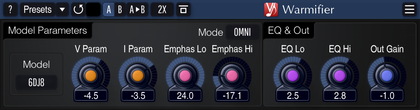
Applications
- Tube warming effect
- Tube preamp simulator
- Console coloration simulator
- Smooth harmonic enhancer
- Stereo, 5.1 surround tube plugin
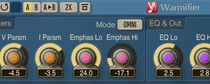
Warmifier is a special audio effect AudioUnit, AAX, and VST plugin for professional sound and music production applications which processes audio signal in a way similar to analog tube equipment. By using Warmifier you can achieve analog “warming” and “console” coloration effects.
Warmifier is applicable both to the complete mixes and to the individual instrument tracks. You have several parameters at your disposal that allow you to control the strength and the coloration of the effect. Also, you have several tube types to choose from. Each tube type offers a different overall coloration.
While the effect of this plugin is definitely subtle, the difference it makes is similar to the difference in sound between various analog mixing consoles. In most cases it boils down to adding a subtle “sparkle”, “presence”, “warming”, or “solidifying” effect to a sound track the plugin was applied to.