Introduction
Voxengo Vintage Modulator is a stereo modulation PC VST plug-in which
features 8 operators (4 for each output channel) with carefully designed
modulation capabilities. This allows Vintage Modulator to create huge and
convincing chorus, phaser and flanger modulation effects applicable to almost
any program material imaginable: vocals, guitars, synth instruments and
others. The phaser effects Vintage Modulator enables you to create are simply
stunning!
Another has-to-be-useful feature of Vintage Modulator is its 'through time
zero' design, which allows you to run the modulation signal ahead of the dry
unmodulated signal. This, in turn, allows you to get various unusual mix
combinations of dry and wet signals - ranging from comb-filtering to pre-echo
effects, which may sound especially creamy with pad-like synth sounds.
Vintage Modulator features:
Vintage sound mode
Through time zero design
Factory presets
"A-to-B" comparisons
Mono-to-Stereo, Stereo-to-Stereo processing
All sample rates supported
64-bit internal precision
Native assembler DSP code
Preset management
You can use the "Preset..." menu button to perform basic FXP/FXB
preset/bank management tasks. The "Set as default" menu option of
the "Presets..." menu allows you to assign the currently loaded program
to the default preset program. This default program will be loaded whenever
you enable a new instance of the plug-in or reset the current program. You can
use the "Reset default" option to restore the default factory
preset.
By pressing the "A|B" button, you can exchange the current and
shadow (or, alternatively, "A" and "B") programs.
The "Copy" button copies the current program to a shadow one.
Since only a single shadow program is used for the whole program bank, you
can use "A|B" button to copy programs. To do so, you first need to switch to
a program you want to copy and press the "Copy" button. Next, switch to a
program where you want to put the first program and press the "A|B"
button.
The "Reset" button can be used to reset the current program. All
parameters will return to their default states.
Parameters
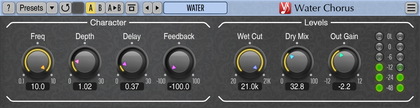
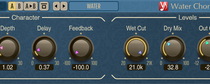
Freq - frequency of modulation.
Delay - delay of modulation. This parameter is especially useful
when Feedback parameter is not zero as Delay affects internal modulation
signal path.
Depth - depth of modulation.
Feedbk - feedback amount; if this parameter is not set to 0%, it
means the plug-in will create a phaser effect. Be careful when using values
above 50%, as this can quickly overload your speakers. You can also specify
negative feedback values.
Wet Dly - how much the modulation (wet) signal is delayed; the delay
time can be negative. This delay does not affect the internal modulation
signal path - it only affects the mix between wet and dry signals.
Wet - wet (modulated) signal gain. The "+/-" switch can be used to
invert the wet signal.
Wet Pan - panning of the wet (modulated) signal.
Wet Cut - amount of high frequency cut applied to the wet (modulated)
signal.
Dry - dry (original) signal gain. You may mix dry and wet signals
to taste to create a flanging sound.
Mode button selects the modulation algorithm. The 'Clean' mode offers
you a classic clean modulated sound. 'Vintage' mode offers you a sound with
modulation noise applied to each operator. This mode consumes more CPU power
but at the same time provides a more pleasant modulation sound with an old
vintage color to it.
Op Count selects the number of active modulation operators.
OpPhasing selects phase pattern of the operators.
In->Mono - forces mixing of the incoming audio to mono.
F.Mono - forces processing of the left channel only.
Quality button is used to switch between the normal and the
high-quality processing modes. The high-quality processing mode internally
uses a two-times higher sample rate, performing 2x oversampling. The high
quality mode uses about two times more CPU resources. The "Auto" quality mode
disables oversampling in the normal real-time plug-in operation and turns
oversampling on during the offline audio bouncing. Please note that the "Auto"
mode may not work properly in all hosts (if the host does not report back when
it enters the offline processing mode).
NOTE: when a mono signal is being processed (or when the F.Mono switch is
enabled), the plug-in creates an 8-operator mono modulation with a very
'thick' sound.
NOTE: The Wet and Dry knobs can be
synchronized with the ALT key.