Voxengo Voxformer





Primary User Guide (PDF): English, Français, Deutsch, Русский язык
Applications
- Vocal channel strip
- Vocal track compressor
- Voice streaming compressor plugin
- Instrumental track compressor
- Audio track equalizer
- Presence booster effect
- Audio track saturator
- De-esser
- Noise gate (de-breath)
- Stereo, mono, mid-side effect plugin
- 7.1, 5.1 surround sound effect plugin
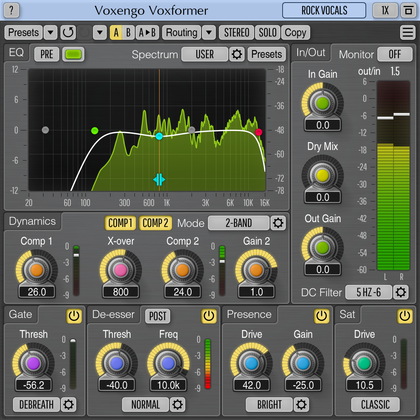
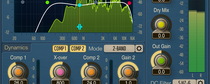
Voxformer is a multi-functional vocal channel strip AAX, AudioUnit, and VST plugin for professional audio applications. Combining several professional quality processing modules, Voxformer was designed to be a comprehensive solution for all your vocal processing needs – be it spoken or sung vocals.
The coolest feature of Voxformer is its one-knob vocal compressor. Using only a single knob, you can get a tight, open, and definitive professional vocal sound with an excellent articulation instantly. You do not have to worry about common ratio and make-up gain controls since they are automatically selected by the advanced compression algorithm, while the attack and release parameters are stored in a mode preset. Moreover, Voxformer features two compressors of this type, allowing you to apply either a two-band or a two-stage (serial) vocal compression.
Voxformer also features the de-esser with selectable center frequency and threshold. Multi-band noise gate is available, which, in a manner similar to the compressor, was designed to bring ease of tuning while providing excellent sonic results. For those who like a saturated vocal sound, Voxformer implements a special module which applies a smooth saturation. Another useful feature Voxformer has to offer is the presence boosting module which you can use to add some shine and space to the vocals.
As a finishing touch, Voxformer offers you a flexible easy-to-use 5-band parametric equalizer (pre/post selectable) with a real-time fast Fourier transform (FFT) frequency spectrum analyzer display. In most cases, Voxformer can be used for processing of a wide range of instruments beside vocals.