Voxengo LF Max Punch





Primary User Guide (PDF): English, Français, Deutsch, Русский язык
Applications
- Bass dynamics booster
- Sub-harmonic synthesizer
- Bass saturator and harmonic enhancer
- Stereo, mono, mid-side effect plugin
- 7.1, 5.1 surround sound effect plugin
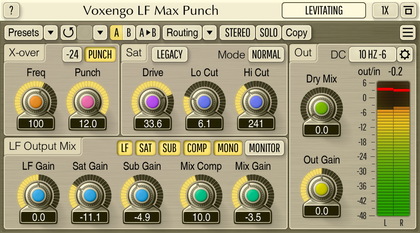
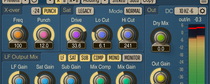
Voxengo LF Max Punch is a professional audio effect AAX, AudioUnit, and VST plugin for music and sounds where low-frequency thump and punch are most welcome, and where distortion is applied specifically to bring the bass sound to life. LF Max Punch provides a low-frequency effect specially designed for serious contemporary music producers, offering them a convenient tool for bringing a smooth punch and “oomph” to audio tracks and sounds.
LF Max Punch plugin dynamically emphasizes selected bass-frequency band, applies a smooth saturation over it, and produces additional sub-harmonic content, with the ability to blend it with the original bass-band sound. Optional compression can then be applied to the resulting low-frequency sound. LF Max Punch first splits the broad-band signal into low- and high-frequency bands, and then applies the aforementioned effects to the lower band only.
This effect can be applied over a wide range of sound material: drum tracks, bass tracks, contemporary music mixes: rap, hip-hop, trance, club music; also rock music can benefit from LF Max Punch’s low-frequency enhancements.