|
This topic was last updated 180 days ago, and thus it can be considered old. Replying is disabled for this topic.
|
Dandruff
on Aug 14, 2010, 7:55pm:
Hey Aleksey!
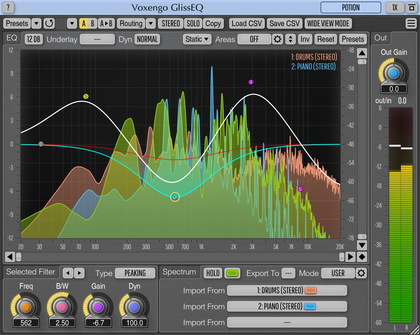
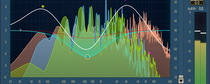
-> load GlissEQ
-> hover the "Spectrum" label with the mouse
=> "Group" buttons appear at the same place
-> load GlissEQ
-> hover the "Spectrum" label with the mouse
=> "Group" buttons appear at the same place
Aleksey Vaneev
on Aug 15, 2010, 8:28am:
This is normal. What do you expect? I admit there's quite a little sense in having such helper since the main group selector is located closely.
Dandruff
on Aug 15, 2010, 9:11am:
I expect no buttons displayed over the spectrum label. What for? Just looks weird to me: http://www.outburst-audio.com/maik/glisseq.png
Aleksey Vaneev
on Aug 15, 2010, 11:09am:
Well, that's a standard "quick group selection" function.
Dandruff
on Aug 15, 2010, 5:45pm:
I still don't get it. Why do we need those twice? We already can select a group at the bottom via "Group" buttons. So why do you display them additionally when hovering the "Spectrum" label?
It's also pretty ugly in my opinion (look at the fonts on those buttons). "Quick group selection" also can't be found in any of the manuals!?
:(
It's also pretty ugly in my opinion (look at the fonts on those buttons). "Quick group selection" also can't be found in any of the manuals!?
:(
Aleksey Vaneev
on Aug 16, 2010, 9:09am:
Well, I partially agree that in the case of "Spectrum" label it's not much useful, because the main group selector is not far from it. But in the case of the "EQ" label it's more convenient.
Dandruff
on Aug 16, 2010, 9:40am:
Aleksey Vaneev: But in the case of the ''EQ'' label it's more convenient.
I also think it looks ugly/buggy there. Very unsharp fonts too. Don't like it. In my opinion it isn't expected to get the group selection on those labels.
Aleksey Vaneev
on Aug 16, 2010, 9:50am:
How do you think this should be implemented then, considering it's usually quite tiresome to move the mouse down just to switch the channel group, especially if the control area of interest is located on top?
Dandruff
on Aug 16, 2010, 10:10am:
For me it's not tiresome. At least two suggestions:
1. Don't display bad looking downscaled buttons. Display groups in a proper context menu instead (like the "Presets" menu or "Band" menu).
OR (even better):
-> rightclick emply space in the Spectrum display
=> "Group" context menu getting displayed (same looking as the "Band" menu)
In this case we wouldn't need the quick selection on the EQ and Spectrum labels anymore I think!
2. If there's just one group there's no need to show these quick selection buttons (or my suggested menu) at all!
1. Don't display bad looking downscaled buttons. Display groups in a proper context menu instead (like the "Presets" menu or "Band" menu).
OR (even better):
-> rightclick emply space in the Spectrum display
=> "Group" context menu getting displayed (same looking as the "Band" menu)
In this case we wouldn't need the quick selection on the EQ and Spectrum labels anymore I think!
2. If there's just one group there's no need to show these quick selection buttons (or my suggested menu) at all!
Aleksey Vaneev
on Aug 16, 2010, 10:53am, edited 1 time(s), last modified on Aug 16, 2010, 10:57am:
Well, I will rethink the concept. The main purpose of these hovered quick group selectors was to allow group selection from within the popup "mode" windows, but I think it will be better to include a full-sized group selector to these "mode" windows.
Right-click in the next GlissEQ update is reserved for "select all control points" function.
|
This topic was last updated 180 days ago, and thus it can be considered old. Replying is disabled for this topic.
|
Copyright © 2002-2012 Aleksey Vaneev - Terms of Use - Privacy Policy - About Voxengo - Questions & Answers